Everything your PC measures.
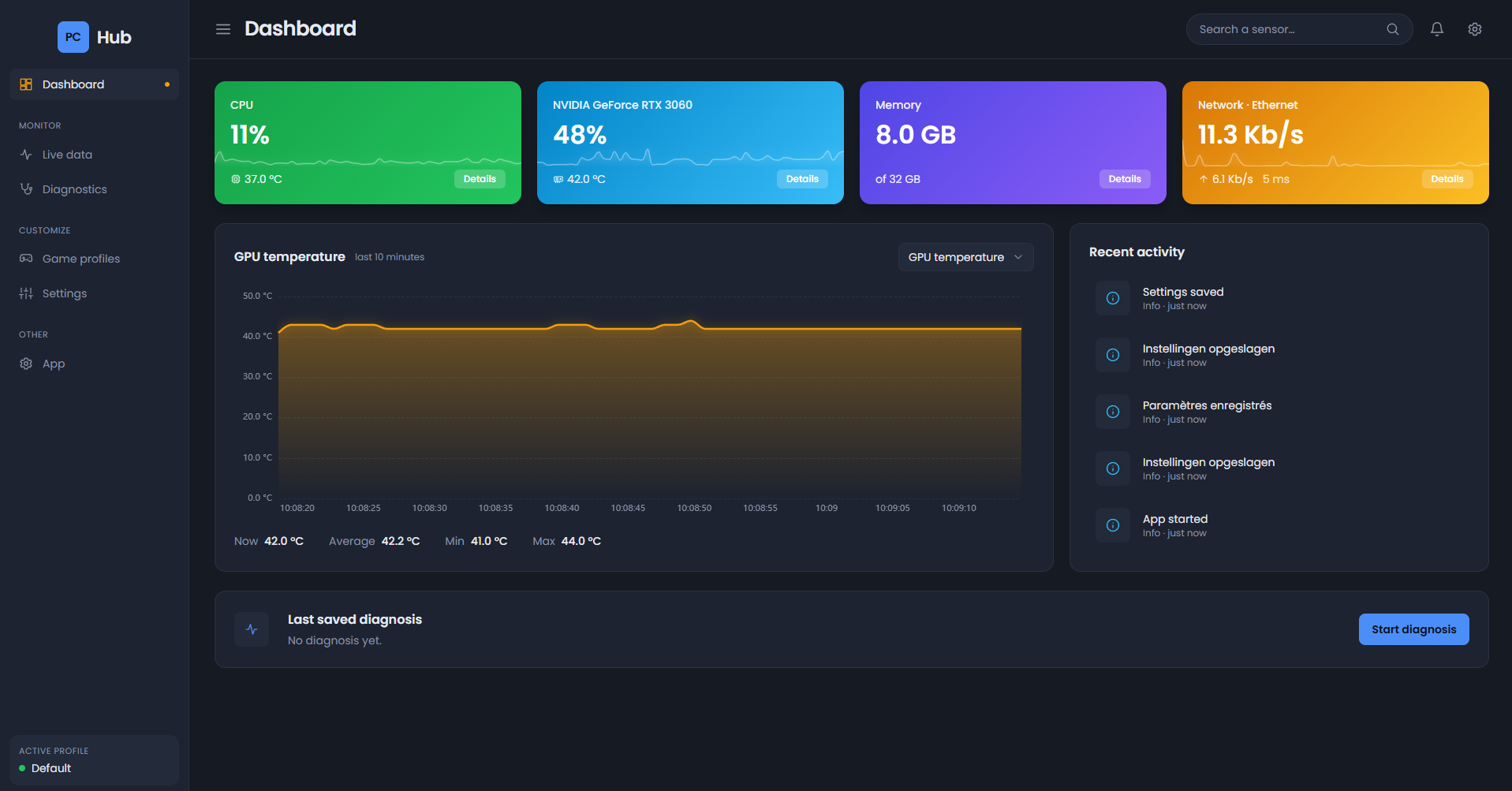
Load, temperatures, clock speeds, fans, disk activity and network traffic, per component and with charts. Also per program: which one is using the processor and the network?
PC Hub shows live what your processor, graphics card, memory, disks and network are doing. PC slow? Measure it and see what happened at that moment.
Download PC HubVersion 1.0.0 · free
What you can do
Three things you would otherwise piece together from separate programs and Windows menus.
Load, temperatures, clock speeds, fans, disk activity and network traffic, per component and with charts. Also per program: which one is using the processor and the network?
Start a measurement, use your PC, and press the button the moment you notice the slowdown. Afterwards you see what happened around that moment. Compare two measurements side by side, for example before and after a change.
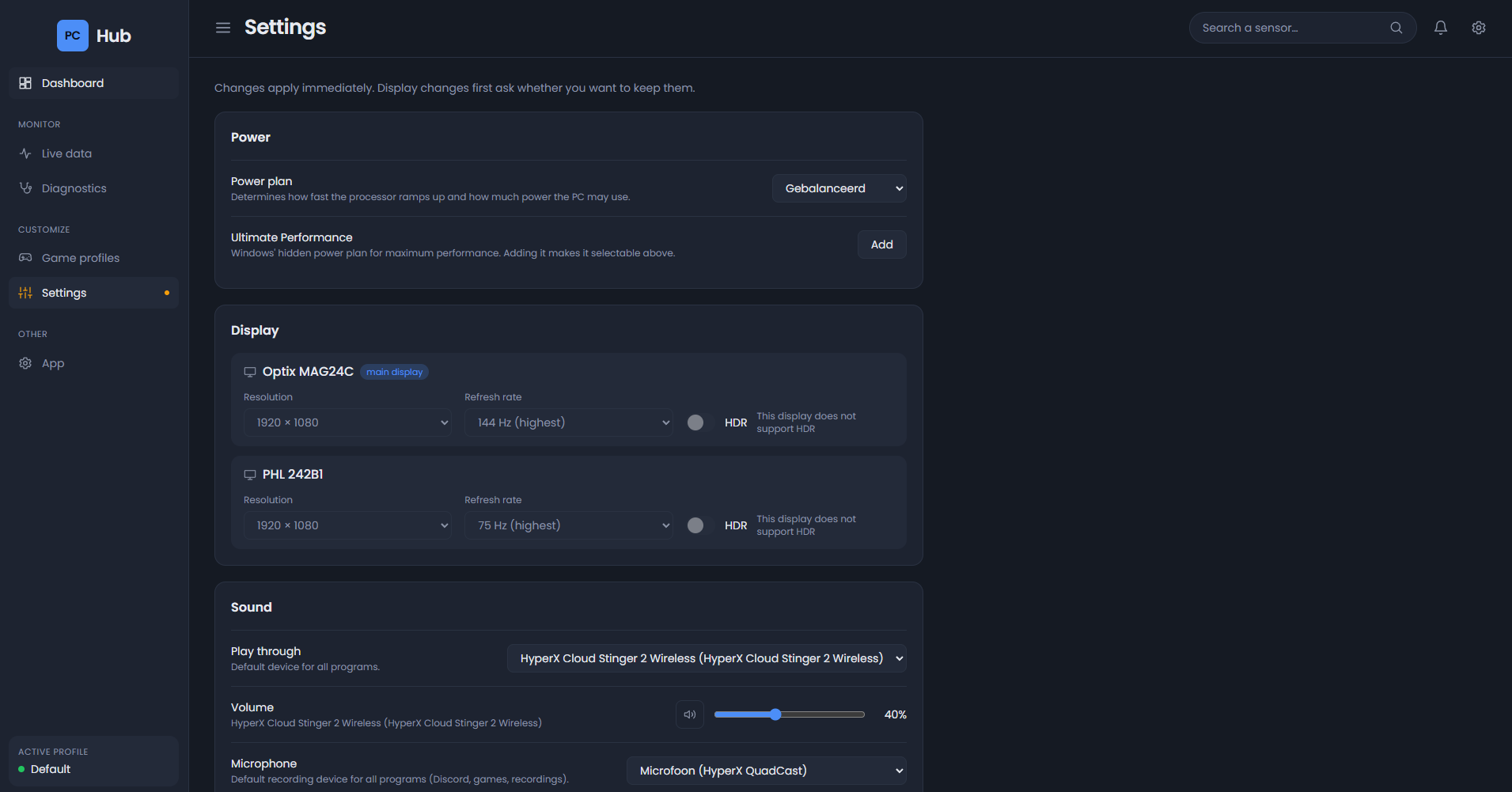
Power plan, resolution, refresh rate and HDR, sound and microphone, Game Mode and mouse acceleration. A display change reverts by itself if you do not confirm it.
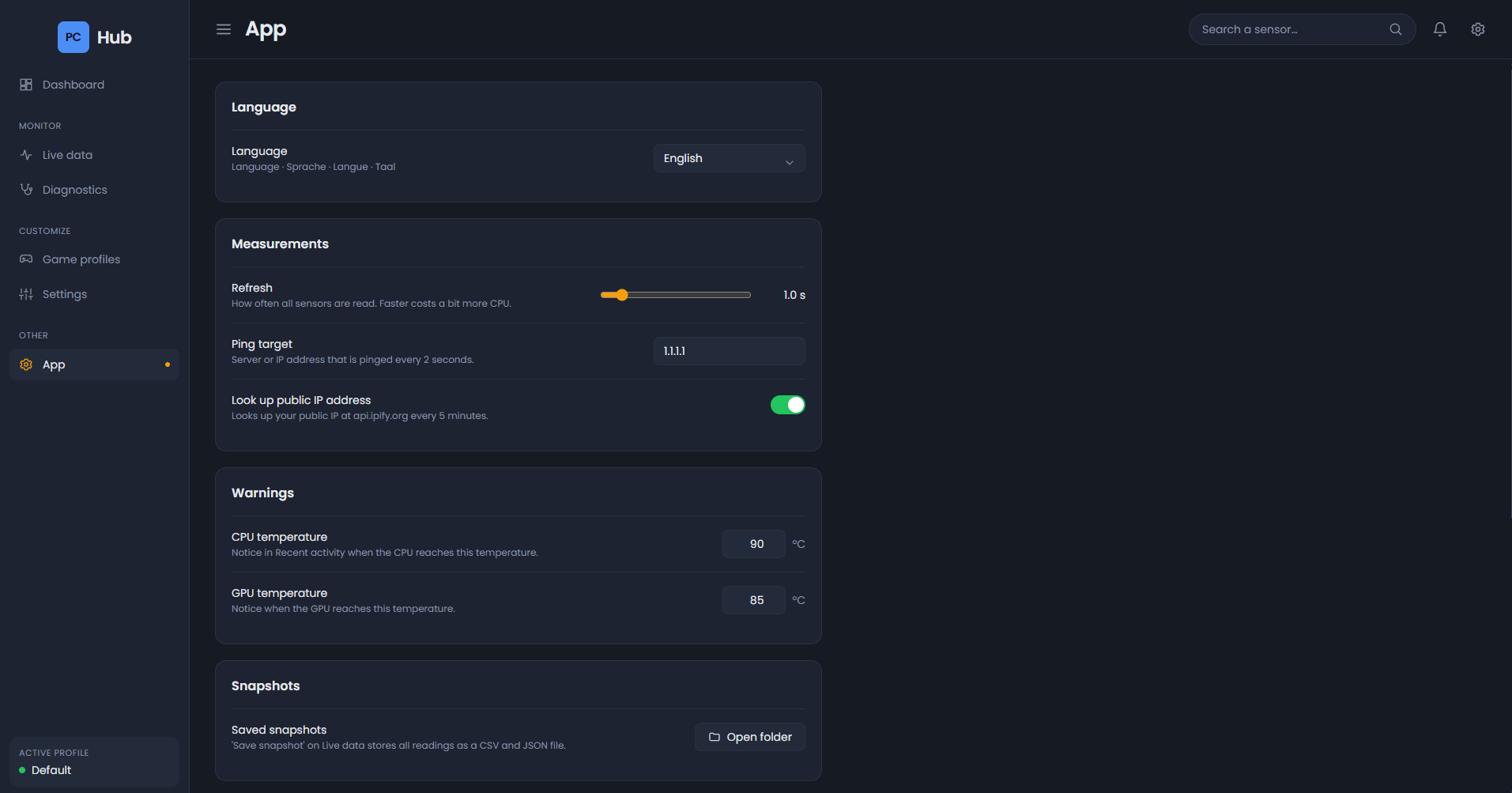
PC Hub checks once a day for a new version and installs it with one click. Updates are signed, so a forged update is rejected. You switch the language in the app.
The screens
Screenshots of version 1.0.0, with the language set to English. Open one to see the details.
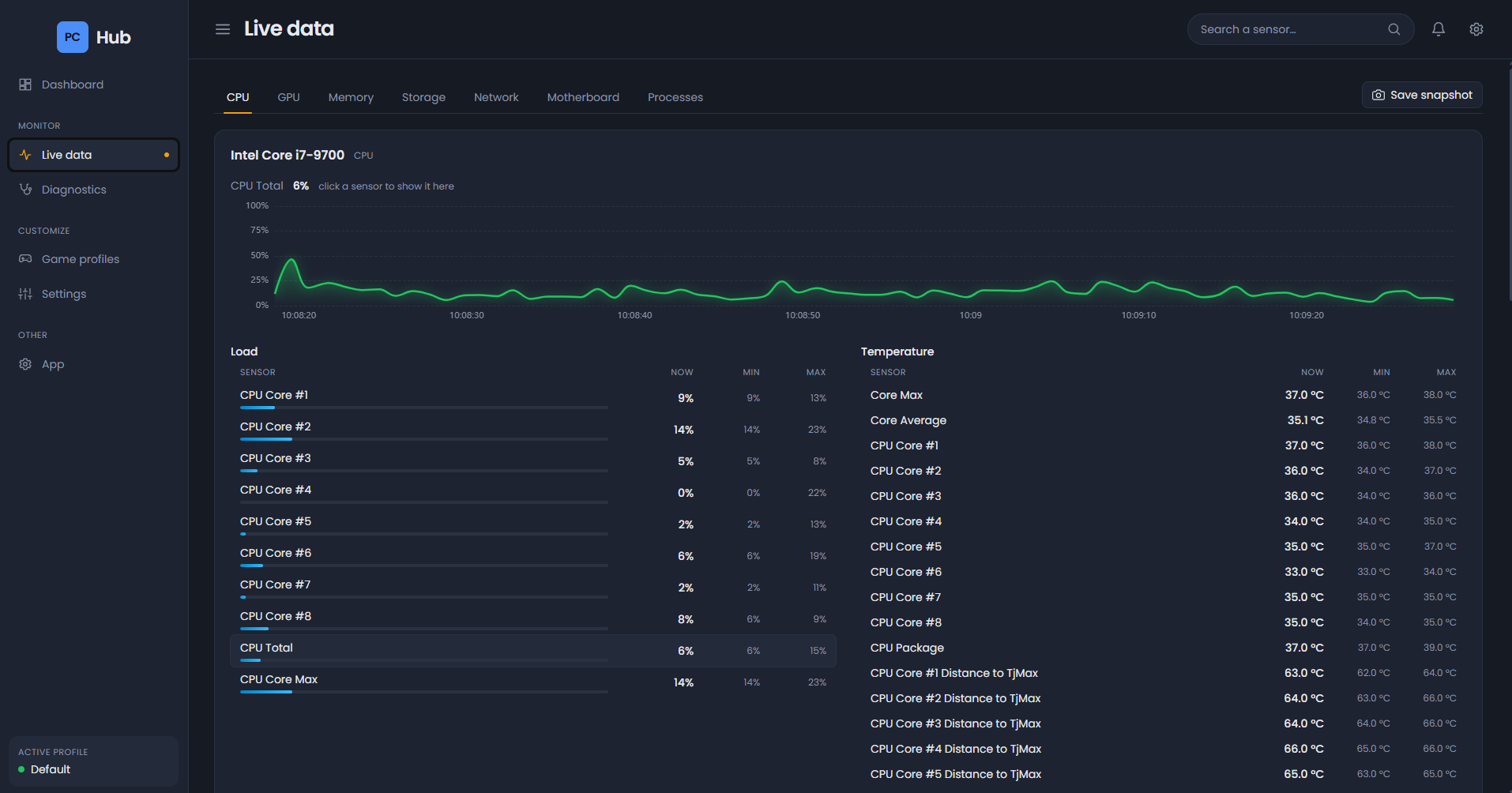
Every sensor of your processor, with its current, minimum and maximum value.
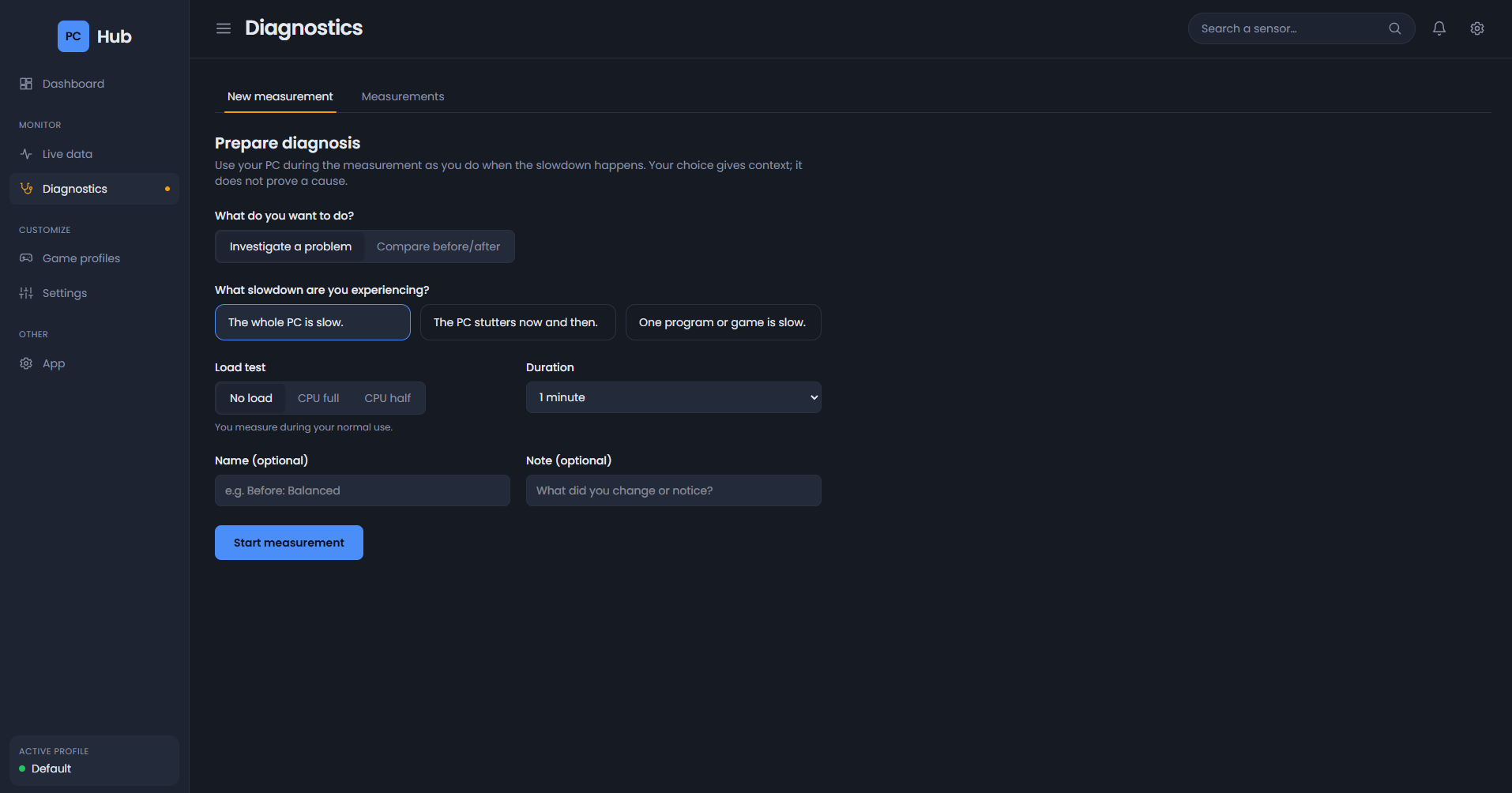
Choose what you notice, how long to measure, and whether PC Hub should apply a load itself.
Power plan, displays and sound, without digging through Windows menus.
Language, measuring speed, warnings for high temperatures and updates.
Good to know
PC Hub runs as administrator. That is needed to read sensors, measure network use per program and change settings. This is why Windows asks for permission when it starts.
Your measurements and settings stay on your own PC. There is no account and nothing about your use is collected.
Processor temperatures need the PawnIO driver. The installer offers to install it. Without the driver PC Hub works fine, but some sensors are missing.
Downloads
Choose the installer if you simply want to use PC Hub. The portable version is unpacked and started without installing.
Installs PC Hub in Program Files, with a language choice, a shortcut and automatic updates. Also takes care of WebView2 and the sensor driver if they are missing.
Download installerSHA-256 23399d4a89978dc0a5c29a8cf0aa6c34c1ed1ccd69df7f685290f7a179eef084
Unpack and start PCHub.exe. Everything the program needs is included; you install the PawnIO sensor driver yourself.
Download ZIPSHA-256 60dd594c4de4d7bce5259835305f65e7f98a8303ce8bf51d2477b9d8b0cd91e8
Windows may warn about an unknown publisher when you start it, because the files are not signed with a paid certificate. Choose “More info” and then “Run anyway”.
Questions
PC Hub was made and tested on Windows 11, 64-bit. It should also work on Windows 10 (64-bit), but that has not been tested.
No. The message appears because the files are not signed with a paid certificate. Choose “More info” and then “Run anyway”. If in doubt, compare the SHA-256 of your download with the value on this page.
Those need the PawnIO driver. The installer offers to install it. With the portable version you do that yourself with: winget install namazso.PawnIO
PC Hub checks once a day for a new version and tells you. You install it yourself with one click under App → Updates. You can also turn the automatic check off there.
No. PC Hub is a hobby project and free to use.